How to Prevent Damage to Electrical Appliances and Electronics During a Move
Most appliance faults after a move are not bad luck. They come from knocks, pressure, heat or switching on too early. This guide sets out the prevention: what to do before unplugging, how to protect each device, how to handle Jeddah heat and humidity, and when to power on in the new home.
Written contract · photo survey · written quote once we know the details
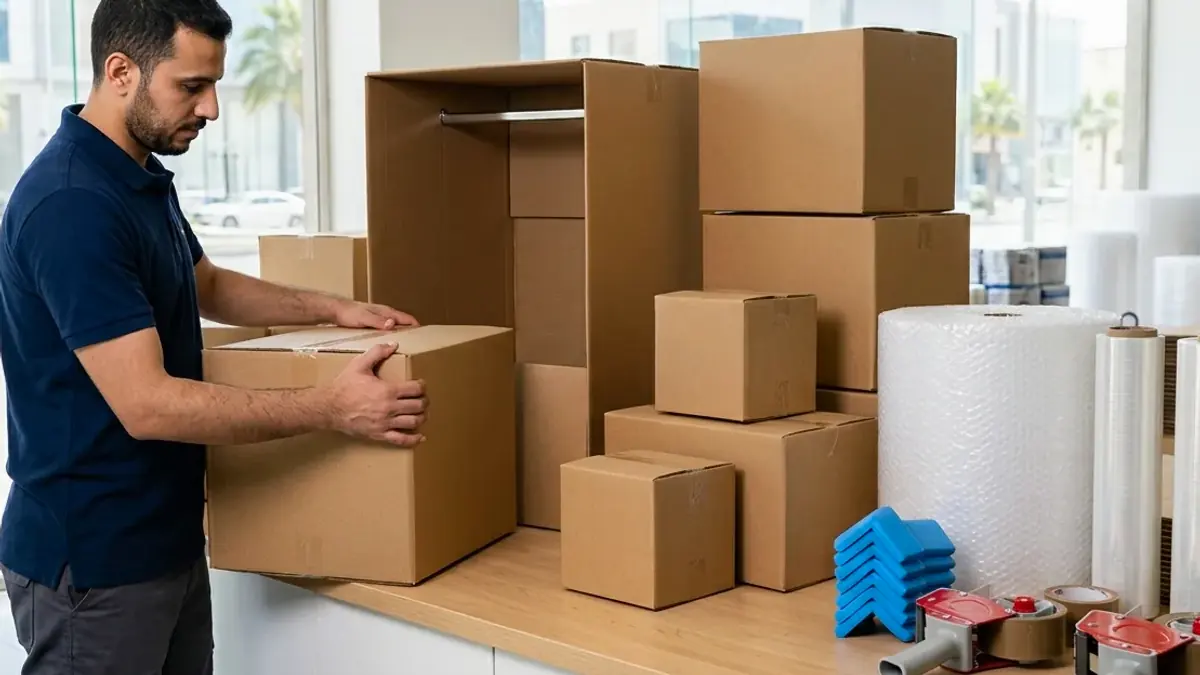
Where damage really comes from: five repeat causes
An appliance seldom fails because the vehicle vibrated in an ordinary way. In most cases the harm comes from five things: a knock while lifting or lowering, weight pressing on it, heat and humidity, cables pulled or yanked out, and switching the device on too soon after the move.
This guide takes each cause in turn and then gives steps per device: TV, computer, router, printer, microwave and washing machine. It differs from our guide to packing OLED screens and our guide to home theatre cabling, because it focuses on general prevention for electronics and appliances.
Before anything else: back up your data
The first step has nothing to do with wrapping. Save your data. Computers, phones, external drives and network storage can take a knock that damages the disk or wipes files. Copy what matters to a cloud service or to another drive that stays with you.
- Photos, documents and work files first.
- Keep passwords somewhere safe that is not written on the device.
- Remove removable discs and memory cards.
A backup costs very little and protects against a loss that cannot be replaced.
Photograph the connections before you unplug
The cables behind a TV or computer look obvious today and turn into a puzzle after the move. Take a clear photo of the back panel before unplugging, then label each cable with coloured tape or a small tag naming the device and the port.
Put each group of cables into a small bag marked with the device name and tape it to the device or its box. This heads off the commonest post-move problem: a device that seems dead because the missing cable has lost its partner.
Original boxes first, good substitutes second
The original carton and its foam inserts were made for that exact device. If you kept them, use them. If not, pick a carton of the right size with protective layers, and never leave a device loose in an oversized bag or box where it can slide about.
- A little space around the device, filled with paper or bubble wrap.
- Do not squeeze the carton until its walls bow against the device.
- Mark the box with arrows, fragile, and do not stack.
For sizes, see our guide to choosing moving boxes, and for materials our comparison of stretch wrap and bubble wrap.
Screens and TVs: upright, never lying flat
A modern panel is thin and sensitive to pressure on its face. Carry it upright wherever possible, not lying down, and never let anything press on the front or the back. Do not lift it by pulling on the edges or push on the glass with your fingers.
Remove the stand if it detaches and keep the screws in a taped bag. For full detail, read our guide to packing OLED smart TVs and our page on moving OLED televisions.
Want help moving your TV and appliances? Message us on WhatsApp 0566300558 with photos.
Desktop and laptop computers
A desktop holds a disk, a motherboard and perhaps a graphics card that can shift. Shut it down fully, unplug everything, and place it in a suitable carton with padding. If the graphics card is heavy, ask a technician about securing it before a long journey.
A laptop is best kept with you, along with its charger and any external drive. For desktop machines see our page on moving desktop computers.
Routers and small network gear
Routers and network boxes are light but easily lost, and they often carry your subscription details. Save the settings if you changed them and photograph the label on the back with its numbers. Then place the router, its adapter and the network cable in one bag.
If your line is moving to a new home, call your provider early, because the appointment can slip by days. Try to keep the router in your personal bag, since you will want it the first night.
Printers and scanners
A printer looks sturdy, but it has moving parts and ink cartridges that can leak. Remove the cartridges or follow the manufacturer's instructions for locking the head, empty the paper tray, and fix covers with tape that will not leave residue.
- Laser: remove the drum and toner and bag them separately.
- Inkjet: keep cartridges sealed and upright.
- Scanner: lock the scan head if it has a transport lock.
Small kitchen appliances: microwave, blender, kettle
A microwave is heavier than it looks and has a fragile glass plate. Remove and wrap the plate separately, tape the door shut and carry the unit in its carton or with thick wrapping. Blenders and juicers are taken apart, with their sharp and glass parts wrapped.
Appliances that hold water, such as kettles and coffee machines, must be emptied and dried, because leftover moisture in Jeddah's air attacks metal and electrical parts. For larger machines see our page on home appliance moving.
Washing machines, dryers and dishwashers
An automatic washing machine has transit bolts that lock the drum against movement. If you no longer have them, ask the manufacturer or a technician for a substitute; do not move it unlocked. Drain the hoses, dry the door, and leave the door slightly open so it dries.
It is one of the heaviest appliances, so do not carry it down stairs alone. The whole procedure is in our guide to disconnecting and transporting washing machines and our page on moving an automatic washing machine.
Split air conditioners and fans
A split air conditioner should not be removed or refitted without a technician, because it contains refrigerant and copper pipework. Moving it is a separate service. A window unit is drained, wrapped and secured.
Standing fans are taken apart at the base and their blades wrapped so they do not snap. Electric heaters and water heaters must be completely cool before wrapping. For air conditioner steps see our page on air conditioner dismantling and moving.
Heat, humidity and condensation in Jeddah
Electronics dislike rapid temperature change. A cold device carried from an air-conditioned room into hot, humid air can collect moisture on its surface, and if you switch it on at once the water can reach its circuits.
- Do not power a device on as soon as it moves between hot and cool rooms.
- Let it stand in its room until its temperature settles; the bigger the difference, the longer it takes.
- Never leave devices in a closed vehicle in the sun.
For summer, see our page on protecting furniture from Jeddah heat and humidity.
Ask in writing about wrapping appliances and recording their condition before you book.
Batteries and charge
Rechargeable batteries need particular care. Do not leave a phone, laptop or power bank in a hot closed box, because the battery can be damaged or become a hazard. Carry these devices yourself.
Take batteries out of devices you will not use soon to avoid leakage, and empty remote controls into a bag. These small details prevent annoying faults after the move.
Packing materials: what helps and what hurts
Not every wrapping material suits electronics. Bubble wrap, foam and corrugated card are good. Newsprint can leave ink on glossy surfaces, and cling film pressed directly against a screen can leave marks, so use it over a protective layer rather than on the glass.
Avoid wrapping a device while it is damp: moisture trapped between layers in Jeddah air causes trouble. Our stretch wrap versus bubble wrap guide helps you pick materials for each piece.
Loading order in the vehicle
Where a device sits in the vehicle can matter more than the wrapping. Heavy appliances go on the floor, light ones above with care, and screens stand upright between two stable items that cannot move.
- Never put heavy furniture on top of a device carton.
- Leave a small gap or padding between the device and the wall.
- Strap large items so they do not slide when the vehicle brakes.
Ask the crew about their loading plan and have them photograph the devices before loading.
Photograph devices before and after
Photos are the cheapest way to protect your position. Photograph each device from the front and the back, with the serial number visible if possible, and the screen lit up before unplugging. Then photograph the carton after wrapping.
If damage appears after the move, these photos help show the original state. See our guide to photographing furniture for a moving quote for an organised approach. We do not promise compensation or warranty beyond what is written in your quote, but documentation remains the basis for any calm discussion.
Before powering on in the new home
After unloading, do not switch everything on at once. Inspect each device from the outside for cracks, dents and damaged cables, put it in place, let its temperature settle, plug it into a sound socket, then switch on and test the basic functions.
- Visual check of the body and ports.
- Wait for the temperature to settle.
- Connect power first, then the other cables.
- Switch on and try the basic functions.
- Record any fault straight away with a photo or video.
Quick table per device
| Device | Main risk | Key step | Your notes |
|---|---|---|---|
| TV | Pressure on the screen | Carry upright in original packing | Screen size |
| Desktop computer | Shock to the disk | Backup and padding | Model |
| Router | Lost accessories | One bag with cables | Provider |
| Printer | Ink leaks | Remove cartridges | Model |
| Washing machine | Drum movement | Fit transit bolts | Do you still have the bolts |
| Microwave | Broken plate | Wrap the plate separately | Size |
Common mistakes with appliances
- Carrying a screen lying down under other cartons.
- Switching on a device right after bringing it in from the heat.
- Leaving the router and cables scattered.
- Ignoring a washing machine's transit bolts.
- Forgetting to back up the computer.
- Relying on memory to reconnect the cables.
A quarter of an hour of preparation before the crew arrives prevents most of these, and some only show up days later, when they are hard to prove.
Ask for a written quote that sets out wrapping and disconnecting of appliances.
Valuables: what stays with you and what rides in the vehicle
Divide your devices into two groups. The first stays with you: phone, laptop, external drives, camera. The second goes with the crew, wrapped: TV, washing machine, desktop computer.
The rule is that anything hard to replace or holding private data stays with you. That is not distrust of the crew; it is a practice that protects everybody. Small, light devices can often travel in your own car.
What to ask the moving company about appliances
Before booking, ask short, clear questions and keep the answers in writing.
- Are screens carried upright, and in what packing?
- Who disconnects the washing machine and who fits the transit bolts?
- Does the quote include wrapping the appliances?
- How is the condition of the devices recorded before loading?
We make no promises that are not written down. For contract terms read our guide to moving contract clauses, and to check a company read our guide on verifying a moving company.
Smart gadgets, cameras and consoles
Cameras, video doorbells and voice assistants are tied to accounts and networks. Before unplugging, note the network name and password in a safe place, open the app and check you can set the device up again.
- Take out memory cards and keep them in a small case.
- Expect to reconnect devices to the new home network.
- Do not throw away mounts and small screws.
Game consoles, speakers and soundbars are wrapped separately, with controllers and cables bagged and labelled, and speaker cones never pressed. For a full home theatre, see our page on relocating home theatre and OLED screens.
Personal medical devices
Blood pressure monitors, glucose meters, breathing devices and nebulisers usually travel with you, not the crew. You need them daily, so carry them in a dedicated bag with chargers and accessories.
If someone relies on a device, disconnect it only when necessary, and put it last in the loading order so it is the first to come off.
Power in the new home before you plug in
Many first-night faults come from a socket that does not suit the device or from everything being plugged into one extension. Before powering up, check that sockets are sound and not loose, and that heavy loads such as the washer, microwave and air conditioner are on lines that can carry them.
- Use a surge-protected strip for sensitive electronics.
- Do not put two heavy appliances on one extension.
- If you smell burning or feel unusual heat, unplug at once and call an electrician.
Old appliances: when moving them is not worth it
Before paying to move an old appliance, ask whether it is worth it. An ageing device with frequent faults may cost more to move and reinstall than it is worth, and a very old fridge may not cope with being moved.
Decide beforehand what you will sell, donate or replace. Each device you drop from the list cuts the load, the time and the risk of damage. When you ask for a quote, list doubtful devices separately so the crew can assess them clearly.
A week-before preparation table
| When | Task | Your notes |
|---|---|---|
| 7 days before | Back up computers and phones | Where the copy is |
| 5 days before | Collect original cartons or buy substitutes | Devices without cartons |
| 3 days before | Photograph connections and number cables | Devices photographed |
| 2 days before | Drain and dry appliances | Kitchen items and washer |
| Night before | Disconnect, wrap, and prepare a hand bag | What stays with you |
If something does not work after the move
Do not assume the worst at once. Check the cable, the socket, the switch and the network settings first, because many apparent faults are simply a missing connection.
- Photograph the device and the fault, or record a short video.
- Compare with your before-loading photos and the inventory.
- Tell the move coordinator the details as soon as you find the fault.
- Have a qualified technician inspect the device if needed.
The faster the report, the clearer the record. For missing items see our guide on missing furniture after a move.
Summary and last check
Preventing damage starts days before the move: backup, photographed connections, prepared cartons, drained water, then upright and protected transport, then a wait before power-on. Each step is simple, but skipping one can cost you a whole device.
If you have a fridge, read our guide on when to empty the fridge before moving, and if you have a home theatre read the cable management guide. To get a quote that includes appliances, send photos on WhatsApp.
Questions about protecting electronics during a move
Carry it upright in its original carton if you still have it, or in thick wrapping with padding. Do not put anything on it and never press on the screen. Remove the stand and keep its screws in a taped bag.
Always. Disks can suffer from knocks, and a copy of important files on another drive or in the cloud protects you from a loss that cannot be replaced. Two copies in different places is better still.
After a visual check and once its temperature has settled with the room, especially if it moved between hot and air-conditioned spaces. If water droplets appear on the surface, wait until it is fully dry before connecting.
That is not advised. The temperature inside a closed vehicle in the Jeddah sun is very high and harms plastics, batteries and screens. Keep their time there as short as you can.
They lock the drum during movement. Use them if you still have them; if not, ask the manufacturer or a technician about a suitable substitute.
We make no promise that is not written down. Any commitment must be in the quote or contract, so ask about it directly and make sure it is in writing before you book.
Put the router, adapter and network cable in one bag with the device name on it and photograph the label on the back. It is best kept with you, since you will need it the first night.
Send photos of the devices and rooms by WhatsApp on 0566300558 with the area and floor. We reply with a written quote that sets out wrapping, disconnecting and assembly.
Related pages
- Home appliance movingFridge, washer and more
- Packing OLED smart TVsA detailed screen guide
- Home theatre cable managementConnecting devices
- Disconnecting washing machinesTransit bolts and draining
- Stretch wrap or bubble wrapChoosing the protective material
- When to empty the fridge before movingA fridge timeline
Have a move coming up with sensitive devices? Send photos on WhatsApp and we will reply with a written quote.